Automating Trustpilot Review Replies via Slack and ChatGPT In 2026
Automating Trustpilot Review Replies via Slack and ChatGPT
Want to save time and scale customer support by Automating Trustpilot Review Replies via Slack and ChatGPT? Managing customer feedback efficiently is crucial for maintaining brand authority and keeping response times low. In this step-by-step guide, we explore how to integrate Trustpilot, Slack, and ChatGPT to automatically generate, review, and publish intelligent review responses seamlessly.
Managing customer feedback across trustpilot reviews can drain time fast, especially when your team is already busy with customer support. In 2026, brands need faster replies, stronger consistency, and a better way to scale. That is where ai customer service comes in. By connecting Trustpilot, Slack, and ChatGPT, you can turn review handling into a smoother process that helps your team stay responsive, protect brand authority, and keep every response useful instead of generic.
The Need for Automated Trustpilot Review Replies in 2026
Trustpilot reviews now shape buying decisions in a direct way. When people see active review replies, they are more likely to trust your brand. That puts pressure on customer service teams to stay visible and consistent.
At the same time, repetitive tasks slow people down. Rising review volume makes manual work harder, pushes response times up, and can hurt customer satisfaction. Automation helps you keep pace while reserving human effort for the cases that need extra care.
Rising Volumes of Online Reviews and Their Impact
Online reviews are no longer a side channel. They sit alongside social media, product pages, and search results, shaping how people judge your business before they buy. Trustpilot reviews carry weight because shoppers use them as a trust signal, not just a comment feed.
That growing volume creates a clear operational problem. If you are getting hundreds of pieces of customer feedback every month, manual review replies quickly become hard to sustain. Delays make your brand look absent, while generic answers can weaken customer sentiment instead of improving it.
So how can you set up Slack and ChatGPT to automate Trustpilot review replies? The compiled process is simple: connect your Trustpilot account through Business APIs, enable webhooks for new reviews, send alerts into Slack, and use ChatGPT to draft replies. Then your team can approve or auto-publish based on rating and risk.
Evolving Customer Expectations for Response Times
Customer expectations changed quickly. In 2026, many reviewers want same-day answers, and a large share expect a reply by the next day. That means response times are now part of the customer experience, not just an internal metric.
For customer support teams, this adds pressure across the board. Support agents already handle customer queries from chat, email, and other customer touchpoints. When reviews pile up too, speed becomes harder to maintain without cutting quality or overloading the team.
Yes, ChatGPT can help generate personalized responses to Trustpilot reviews via Slack. It can read review content, detect tone, pull key details, and draft an appropriate response for your team to review inside Slack. That shortens wait times while still giving support agents room to step in when needed.
Challenges of Manual Review Management
Manual review management sounds manageable until review volume rises. Then your support team starts copying text between systems, checking for tone, and trying to keep response patterns consistent. This work steals time from complex issues that actually need human judgment.
It also creates fragmentation. Reviews may sit outside your main help desks or customer service platforms, so agents have to switch tabs, lose context, and respond late. That affects consistency and makes it harder to maintain your brand voice across every public reply.
Yes, there are Zapier-style workflows that support this process:
- Trigger when new Trustpilot reviews arrive through connected data flows.
- Send the review into Slack for visibility and internal discussion.
- Use ChatGPT to draft review replies based on templates and context.
- Route lower-rated cases to a person before publishing.
Understanding the Integration: Trustpilot, Slack, and ChatGPT
This integration works because each tool has a clear role. Trustpilot reviews provide the incoming customer feedback, Slack acts as the collaboration layer, and ChatGPT serves as the ai tool that drafts replies. Together, they reduce switching between systems.
Instead of treating reviews like isolated tasks, you can bring them into the same customer service software rhythm used for other channels like social media and live chat. To make that useful, it helps to understand what each piece contributes.
How Trustpilot Works Within Customer Feedback Loops
Trustpilot sits at a visible point in your customer feedback loop. Reviews influence reputation, conversion, and trust, which means they affect the full customer experience. A strong score can increase buying confidence, while silence around reviews can create doubt.
Your trustpilot account is also a source of structured review data. Through Business APIs, brands can pull new reviews, monitor activity, and post responses without relying on manual copy and paste. That makes review handling easier to systematize.
So how does the Trustpilot API connect with Slack for automated review handling? The API provides the review event and content, while webhooks push new activity in real time. An integration layer then sends that data into Slack, where teams can review, approve, and manage replies before posting back to Trustpilot.
Slack as a Unified Communications Hub
Slack works well because it brings fast coordination into one place. Instead of asking support agents to check multiple dashboards, you can send review events directly into slack and let the team react where they already collaborate.
That matters when you manage several customer touchpoints. Reviews, live chat, help desks, and social messages often compete for attention. Slack can hold review alerts in a private channel, support quick approvals, and keep conversation history visible for everyone involved.
What tools do you need to integrate Trustpilot with Slack for automated replies? Based on the compiled process, you need a Trustpilot Business API connection, webhook support, Slack, and an AI layer such as ChatGPT. A workflow tool can then connect them, route actions, and keep your customer support process organized.
The Role of ChatGPT in Drafting Personalized Responses
ChatGPT adds the writing layer. Instead of relying on fixed response patterns, chatgpt uses generative ai to read the review, identify key details, and draft a reply that sounds closer to a real person. That is important when customers dislike canned messages.
Its value comes from context. The best results happen when the model is guided by your brand voice, product details, and policies. Over time, edits from your team help refine output, so the responses become sharper and more aligned with how you normally communicate.
Yes, ChatGPT can help generate personalized responses to Trustpilot reviews via Slack by supporting:
- Context-aware drafts that mention the issue or compliment in the review.
- Tone adjustment based on rating, sentiment, and customer language.
- Brand voice consistency after training and review cycles.
- Faster approvals during a personalized demo or live workflow test.
Essential Tools and APIs for Seamless Automation
To build a reliable workflow, you need the right stack. The trustpilot api brings in review events and response actions, Slack manages team coordination, and an ai agent or writing model handles draft creation. These pieces work best when connected in real time.
The real benefit comes from pairing customer service tools with natural language processing. That allows the system to interpret review content, identify intent, and generate useful replies instead of pushing out generic text. Here is how each part supports the flow.

Trustpilot API Features for Review Data and Actions
The trustpilot api is the foundation for this setup. It lets you access customer feedback, detect new trustpilot reviews, and support review replies through connected systems. That removes manual monitoring and turns reviews into part of your automation flow.
It also helps you move faster. Instead of logging into Trustpilot over and over, you can use API-driven events and webhooks to capture review activity as it happens. Once the data is available, your workflow can send it to Slack and prepare a reply for review or posting.
| API Feature | What It Supports |
|---|---|
| Review data access | Pulls review text, ratings, and related details for automation |
| Webhook events | Sends alerts when new trustpilot reviews are published |
| Response actions | Lets connected systems prepare or publish review replies |
| Account authorization | Connects your trustpilot api setup through secure app credentials |
Connecting Slack to Trustpilot via Integrations
Once your trustpilot account is connected, the next step is getting review events into Slack. This integration gives your team visibility without forcing them to check another dashboard all day. New reviews appear where work is already happening.
That makes a difference if your business already uses customer service platforms for live chat, tickets, and social conversations. Slack becomes the layer that connects these workflows, so reviews do not sit off to the side as a separate task queue.
What tools do you need? You need access to your Trustpilot Business API credentials, webhook support, a Slack workspace, and a workflow connector that can pass review data between systems. Then you add ChatGPT for draft generation and route approvals based on your rules.
Leveraging ChatGPT’s APIs for Smart Reply Generation
The chatgpt api turns raw review content into useful writing support. As an ai tool, it uses natural language processing to read tone, identify the core message, and produce review responses that feel more tailored than basic macros.
AI-powered templates work by combining structure with context. You start with rules for greeting, acknowledgment, and next steps, then the model fills in specifics from the review. That helps your team avoid bland language while keeping responses consistent and safe.
In practice, this setup can support:
- Templates that adapt wording based on star rating and sentiment.
- Brand-led prompts that keep replies aligned during a personalized demo or pilot.
- Faster drafting for high-volume reviews without relying only on human writing.
Step-by-Step Guide to Setting Up the Automation
Setting this up does not need to be a long project. The compiled process shows a clear path: connect accounts, enable real-time review delivery, decide when AI can respond, and define where humans approve. That keeps your automation practical from the start.
A visual workflow builder can make the handoff easier, especially if your team handles many customer queries already. The goal is not to replace customer support. It is to use natural language tools to cut busywork and improve speed without losing control.
Authenticating Trustpilot, Slack, and ChatGPT Accounts
Start by connecting your trustpilot account. In the compiled setup, this is done through an integration dashboard using your App ID and App Secret with OAuth. Once approved, the system can begin receiving review activity and related new data.
Next, connect Slack so alerts and draft reviews have a place to land. Your customer support team can then see incoming reviews in one channel instead of searching across platforms. This keeps visibility high and shortens internal response time.
To finish the base setup, connect chatgpt as the drafting layer. If you are asking how to set up Slack and ChatGPT to automate Trustpilot review replies, this is the answer: authenticate each account, connect the flow, and make sure review events can move from Trustpilot into Slack and then into AI-assisted reply generation.
Creating Automated Workflows with Zapier or Similar Tools
After authentication, you need workflow logic. A zapier-style automation layer can watch for incoming reviews, pass them into Slack, and trigger your ai tool to draft a reply. This prevents review handling from becoming another manual queue for support agents.
The workflow can also branch by risk. Positive reviews may move straight toward approval or auto-posting, while low-rated reviews can be paused for human review. That gives you faster action without giving up oversight where it matters most.
Yes, there are workflows that fit this pattern. A common integration path is: new Trustpilot review detected, send notification to Slack, generate draft with ChatGPT, then route the result to approval or publishing. Similar tools can support the same process if they handle these steps reliably.
Configuring Message Triggers and Response Templates
Once the workflow exists, you set the rules. Triggers decide when the system acts, such as when a new review appears or when a star rating meets your approval threshold. This helps customer service teams respond consistently without touching every task by hand.
Response templates give structure to the writing. AI-powered templates work by pairing these templates with intent detection, star rating, and review details. The result is a reply that keeps the same framework while still sounding more specific to the customer’s experience.
Good configurations often include:
- Triggers based on rating, sentiment, or review type.
- Response templates for positive reviews, neutral cases, and complaint handling.
- Approval rules that block risky review replies until a human checks them.
Automating Trustpilot Review Alerts in Slack
Review automation is much easier when your team sees activity the moment it happens. Sending trustpilot reviews into slack with real time notifications keeps everyone aligned and reduces the chance that urgent feedback sits unnoticed.
This also helps your team spot customer sentiment changes earlier. Instead of discovering problems after they spread, you can react while the issue is still small. The next steps focus on how alerts, approvals, and tracking work together inside Slack.
Customizing New Review Notifications for Your Team
Not every team needs the same alert format. Some want full review text in Slack, while others only need rating, sentiment, and a link to act. Custom review notifications help your customer support process stay useful instead of noisy.
This is also where routing matters. New trustpilot reviews can be sent to one channel for general visibility and another for approvals. That keeps customer feedback organized and makes sure the right people see the right review at the right time.
Yes, it is possible to send new Trustpilot review alerts to Slack and automate replies with ChatGPT. Useful notification options include:
- Star rating and review text summary
- Customer sentiment or risk label
- Suggested draft reply from AI
- Approval status or publishing action
Managing Internal Collaboration and Approvals
Slack is not just for alerts. It also supports internal collaboration around public responses. When reviews are visible in a shared space, your support team can discuss wording, flag risks, and approve replies without moving between systems.
A private channel can be especially useful for negative or sensitive cases. Instead of posting everything automatically, you can hold high-risk drafts for review, gather input from leaders, and keep a clear record before anything goes live. This is cleaner than relying on disconnected help desks alone.
One of the best practices for automating responses to Trustpilot reviews with Slack and AI is simple: keep approval workflows strict for risky cases and light for safe ones. That balance gives you speed on routine work and better judgment on complex public feedback.
Monitoring Review Sentiments in Real-Time
Speed matters, but visibility matters too. Monitoring customer sentiment in real time helps you understand whether reviews are trending positive, neutral, or negative. That lets your team prioritize the right review replies instead of treating every post the same.
Sentiment analysis can also guide escalation. If several reviews mention the same issue, your team can catch the pattern earlier and act before the problem spreads further. Over time, predictive analytics and trend tracking add even more value by showing where response effort should go.
The main benefits of using AI and Slack for managing Trustpilot review replies are faster coordination, quicker drafting, and better awareness. Your team sees reviews immediately, AI suggests next steps, and humans can focus on the comments most likely to affect reputation.
Using ChatGPT to Generate High-Quality Review Replies
High-quality review responses need more than speed. They need context, tone control, and enough flexibility to sound human. Chatgpt supports that by turning reviews into drafts your team can use without starting from scratch every time.
For ai customer service, this is where the value becomes visible. Instead of repetitive writing, your customer support team can review, refine, and approve stronger responses. The next sections show how templates, training, and escalation make that work.
AI-Powered Templates for Consistent, On-Brand Messaging
AI-powered templates create a repeatable starting point for review writing. They help your customer support team stay consistent without forcing every response to look identical. That is important because customers notice robotic wording very quickly.
The best ai customer service tools do not stop at fixed phrases. They combine response patterns with review details, sentiment, and rating so the message still sounds relevant. This lets you keep your brand voice steady while adjusting tone based on what the customer actually said.
In simple terms, AI-powered templates work through:
- A base structure for greeting, acknowledgment, and next step
- Review-specific details inserted into the reply
- Tone rules that protect your brand voice
- Different response patterns for praise, questions, and complaints
Training ChatGPT to Reflect Your Brand Voice
Generic output is not enough for public replies. To get real value from chatgpt, you need to train it using your brand voice, company guidelines, product catalog, and policies. That gives generative ai a stronger base for customer interactions.
The compiled information makes this clear: each edit from your team teaches the system what better output looks like. Over time, the AI improves its tone and accuracy, which helps it avoid filler and refer to real products or policies instead of vague wording.
Yes, ChatGPT can generate unique and context-aware responses for each review when it has the right inputs. Its ai capabilities improve when you supply examples, approval feedback, and business-specific context. That is what turns it from a general writer into a review assistant that fits your brand.
Handling Sensitive or Negative Feedback Responsively
Automation should not treat all reviews the same. Negative reviews often involve customer issues, damaged items, shipping problems, or unresolved frustration. These situations affect customer experience more deeply and can shape public perception for future buyers.
AI can still help here, but mainly as a drafting aid. The strongest setup is one where lower-rated reviews are flagged for human review before publishing. That way, the team can protect customer satisfaction while still saving time on first-draft writing.
For sensitive customer feedback, your templates should:
- Acknowledge the issue clearly and respectfully
- Avoid overpromising or sounding defensive
- Route serious negative reviews to human approval before posting
Best Practices for Automating Responses on Trustpilot
Automation works best when it supports judgment instead of replacing it. For trustpilot reviews, that means building a system that improves speed, keeps messaging consistent, and still protects customer satisfaction when things get complicated.
Your customer service approach should define when AI acts alone and when people step in. With that balance in place, review replies become easier to scale. The following practices help you keep quality high while avoiding the common risks of over-automation.
Balancing Efficiency and Personalization
The strongest automation strategy balances efficiency with personalization. Your ai agent should handle the writing workload, but it should not turn every message into the same public answer. Customers can spot that right away.
Customer service teams do better when AI handles the predictable 70 to 80 percent of reviews that follow common patterns. That frees people to focus on complex complaints, repeat customers, or situations where a human touch has more impact.
So what are the best practices? Use AI for routine replies, keep templates flexible, train the model on your tone, and review higher-risk cases manually. This approach gives you faster output without removing the personal detail customers expect from public review interactions.
Ensuring Compliance with Trustpilot’s Review Policies
Safety depends on setup. It can be safe to automate trustpilot reviews when your workflow includes compliance checks, sensible approval workflows, and limits on which responses can publish automatically. The risk comes from posting everything without review.
Customer service tools should support policy-aware behavior. In practice, that means auto-responding to straightforward praise while routing sensitive complaints, legal concerns, or safety-related issues to a human. This protects your brand and reduces the chance of a poor public response.
To stay aligned with review policies, make sure you:
- Use approval workflows for risky or low-rated reviews
- Avoid unsupported claims or careless wording in automated drafts
- Keep humans involved when the issue is sensitive or high visibility
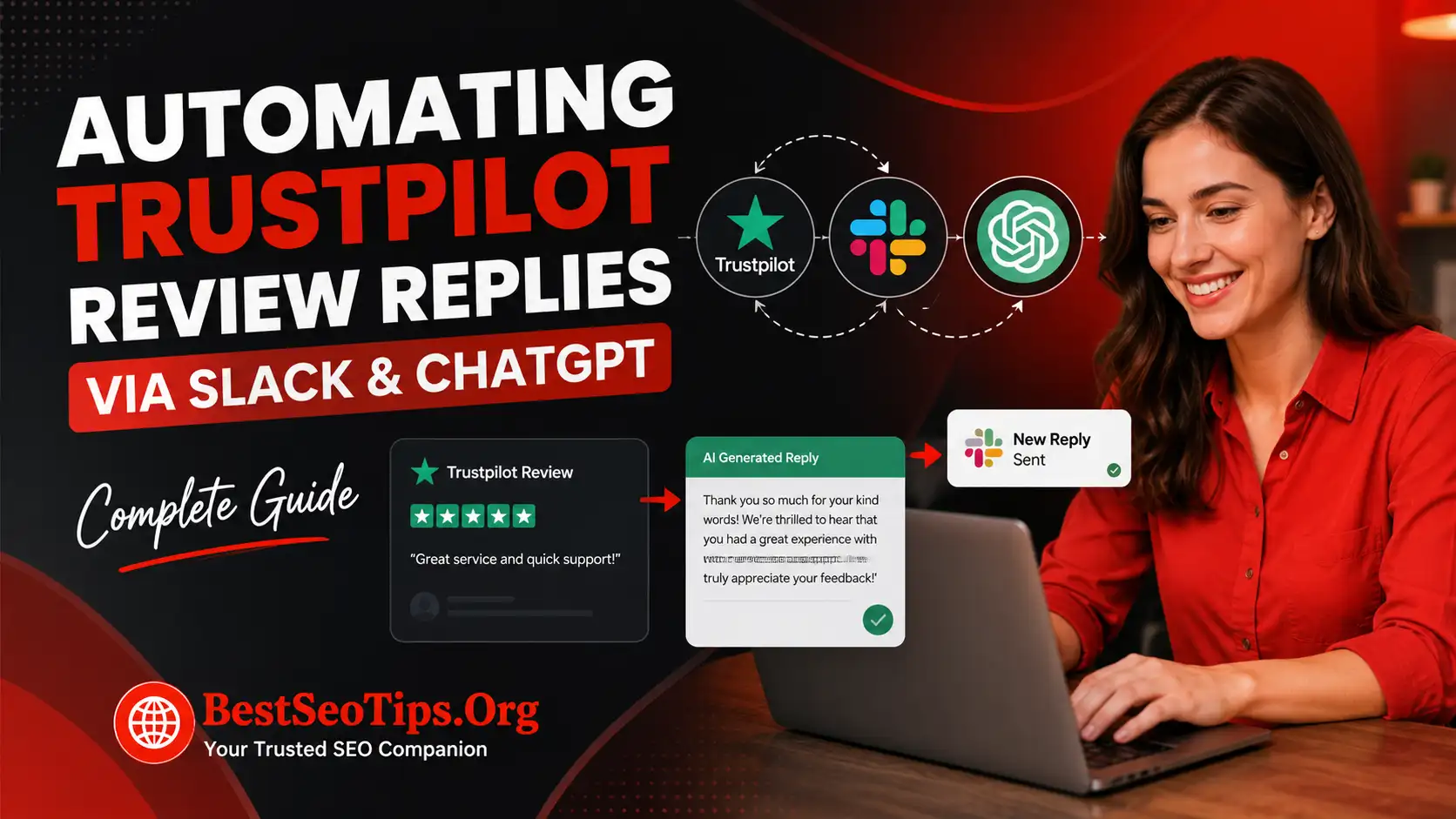
Comparing Automation for Trustpilot Versus Other Review Platforms
Yes, there are differences between automating replies for Trustpilot and other review platforms, but the core model stays similar. You still need incoming review data, AI drafting, and a place for human approval. What changes is the integration method and channel mix.
The compiled information shows that some tools work across Trustpilot, Bazaarvoice, Yotpo, Amazon, Home Depot, and Walmart. That is useful for omnichannel customer support because it keeps your ai customer service tools from becoming fragmented across too many dashboards.
| Platform Type | Automation Consideration |
|---|---|
| Trustpilot reviews | Strong value from Business APIs, webhooks, and public response speed |
| Other review platforms | May require different connectors, but can use the same AI drafting logic |
| Multi-platform setup | Best handled through one dashboard with shared approval rules |
| Omnichannel support | Helps customer support teams keep tone and workflow consistent |
Frequently Asked Questions
Is it safe to automate Trustpilot review replies using Slack and ChatGPT?
Yes, trustpilot reviews can be handled safely with automation when you use approval rules, compliance checks, and human review for sensitive cases. The safest ai customer service setup lets routine praise flow faster while your customer support team reviews lower-rated or risky responses before publishing.
Can ChatGPT generate unique and context-aware responses for each review?
Yes. Chatgpt can use natural language to read customer feedback, identify tone, and draft review replies that reflect the specific issue or compliment in each review. Results improve when your ai customer service workflow includes brand guidance, product context, and feedback from human edits.
What are the main benefits of connecting Trustpilot, Slack, and ChatGPT for customer support?
The main benefits are faster customer support, better visibility, and less manual work. Trustpilot reviews flow into slack in real time, an ai agent drafts responses quickly, and your team can approve or edit them in one place. That makes automation easier to manage at scale.
Conclusion
In conclusion, automating Trustpilot review replies via Slack and ChatGPT is a game-changer for brands looking to streamline their customer feedback management. By integrating these powerful tools, you can effectively manage the rising volume of online reviews while meeting customer expectations for timely responses. Not only does this system allow for consistent and personalized engagement with your audience, but it also frees up valuable time for your team to focus on more strategic tasks. Embracing automation helps maintain brand authority and enhances customer satisfaction. If you want to save time and scale customer support, reach out today for a free trial to see how this integration can work for you!

Amy Evans
Amy Evans is a digital content writer. She focuses on Trustpilot and how companies can manage what people say about them online. She writes helpful guides on Trustpilot reviews, TrustScore, business profiles, inviting people to write reviews, replying to customer feedback, negative reviews, and Trustpilot's rules. Amy wants to make Trustpilot easy to understand. She helps businesses use what customers say to build trust, improve their online reputation, and grow steadily.
