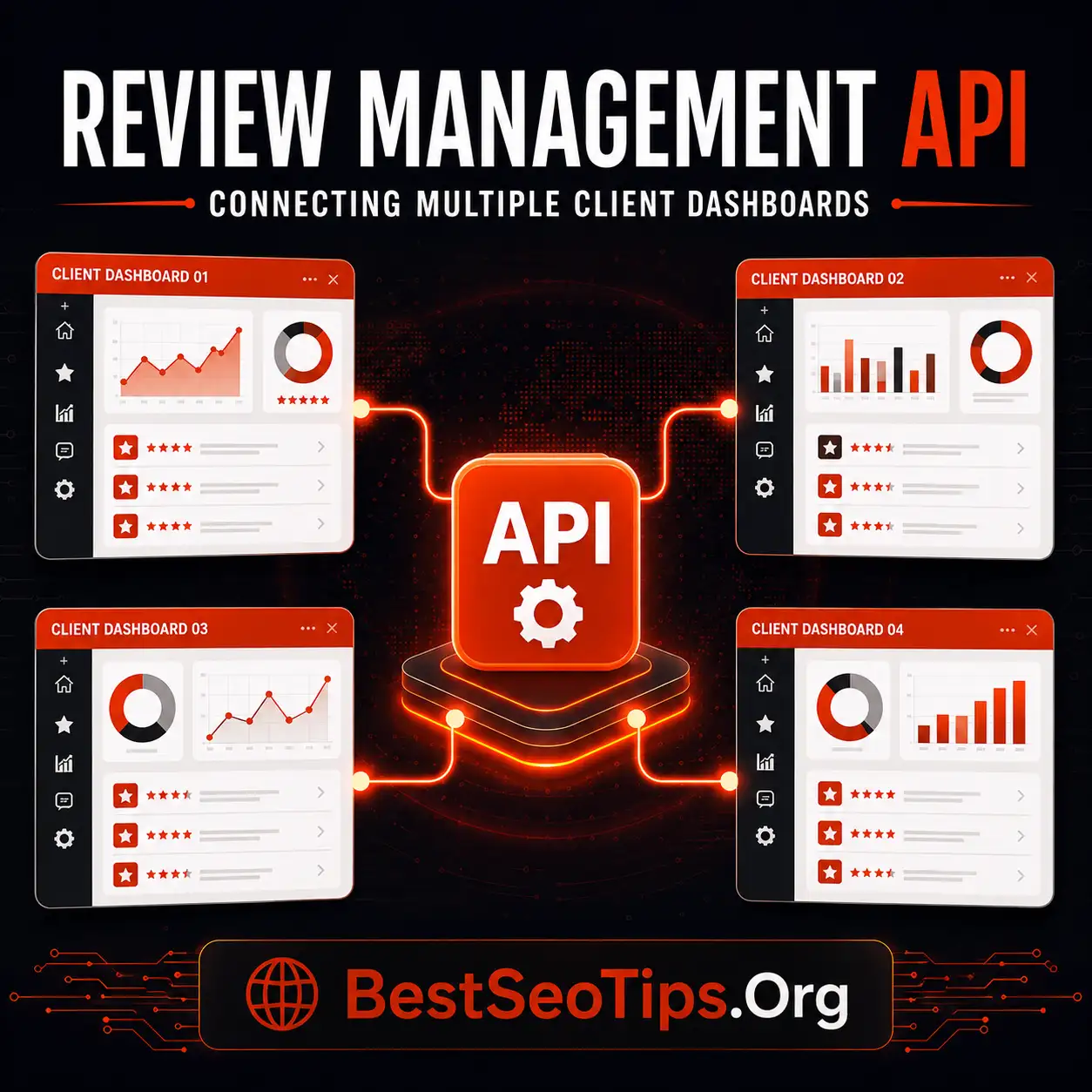
How a Review Management API Fits Agency Workflows
A review management API lets agencies pull, monitor, and respond to client reviews from one central system instead of logging into each client’s individual review platform. It connects review data (ratings, new reviews, response status) directly into the agency’s existing dashboard, CRM, or reporting tool — enabling automated alerts for negative reviews, bulk response management, and white-labeled client reporting, all without manual platform-switching.
Key ways agencies use a review management API:
- Centralized monitoring – track reviews across Google, Trustpilot, G2, etc. in one dashboard
- Automated alerts – get notified instantly when a negative review comes in
- Bulk response management – reply to multiple client reviews without switching platforms
- White-label reporting – generate branded reports for clients automatically
- CRM/webhook integration – trigger workflows (e.g. escalation, ticketing) from review events
- Scalability – manage 50+ client accounts without adding headcount
Understanding Review Management APIs for Agencies
For marketing agencies, a review management API is a practical way to connect customer feedback with daily operations. It helps teams pull review data, trigger actions, and manage online reputation without jumping between separate tools all day.
That connection streamlines workflows for digital marketing agencies because reviews stop living in one isolated dashboard. Instead, they can feed into CRM records, alerts, reporting, and approvals. This makes it easier to act on feedback quickly, keep brand voice consistent, and support many client accounts with less manual work.
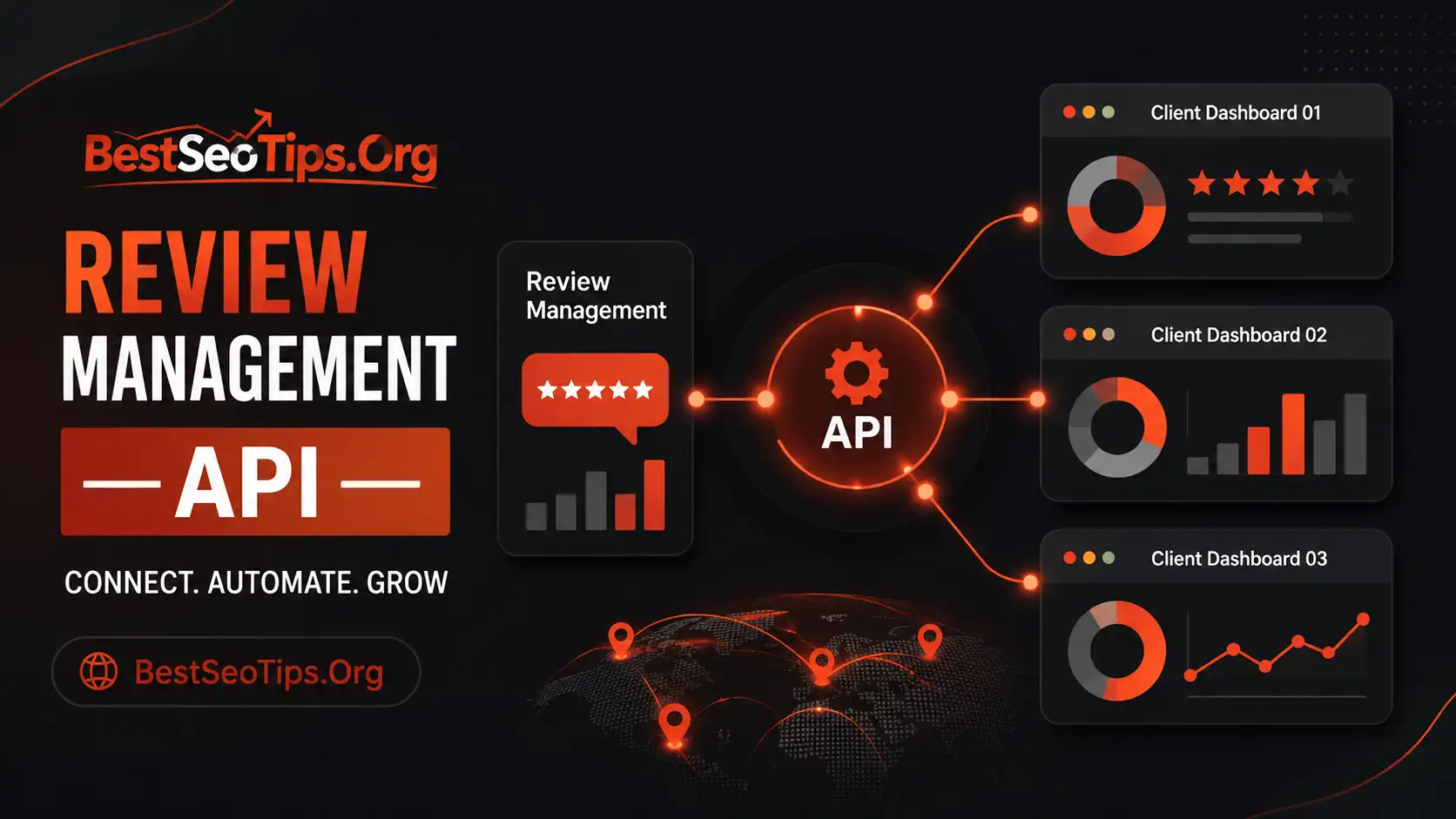
What Is a Review Management API and How Does It Differ from Off-the-Shelf Tools
A review management API is a structured connection layer that lets agencies move review data between systems. Rather than logging into review management software and working only inside its interface, your team can send, receive, and use online reviews inside the tools it already depends on.
By contrast, off-the-shelf tools are mostly built around a fixed dashboard experience. They can be useful for basic monitoring, response tasks, and review collection, but they often limit how deeply agencies can shape workflows. If you manage several clients, locations, and team member roles, those limits show up fast.
That is why a review management API streamlines workflows for digital marketing agencies. It supports automation, closed-loop feedback, and custom processes. Agencies can trigger review requests from CRM activity, send alerts into project management tools, or combine review data with broader reporting. A dashboard shows information. An API lets agencies operationalize it.
Key Terms and Concepts Agencies Should Know
Before choosing a tool, agencies should understand a few core terms. These ideas shape how a review management platform fits into online reputation management and how much value it can create across client operations.
Here are the basics to know:
- API: A way for systems to exchange review data and trigger actions.
- Webhook: An instant event notification sent when something changes, such as new reviews.
- Customer sentiment: The emotional signal found in review text, useful for spotting risk or praise.
- Multi-account support: The ability to manage many client profiles in one system.
- Permissions: Controls that limit what local teams, managers, or agency staff can access.
These terms matter because many agency tasks can be automated when the setup is right. Review requests, response routing, alerting, reporting, and escalation workflows can all be tied to incoming review data. Once you know the language, it becomes easier to judge whether a platform supports real scale or just basic review monitoring.
Why Agencies Need API Access Beyond Standard Dashboards
Many agencies begin with a dashboard because it feels simple. Yet standard review management tools often stop at visibility. They show customer feedback, but they do not always connect that information to the rest of your agency workflows.
Without API access, teams face slower execution, duplicate work, and gaps in customer experience. Important feedback can sit in one place while operations happen somewhere else. That disconnect makes it harder to scale cleanly, which is why the limits of dashboard-only setups deserve a closer look.
Limitations of Dashboard-Only Solutions for Agency Workflows
A dashboard-only review management system can help you see ratings, responses, and trends. The problem is what happens next. If customer feedback needs action from account teams, support staff, or local businesses, someone often has to move that information by hand.
This creates friction inside project management and service workflows. A negative review may need escalation, but unless a person copies it into another tool, it can be delayed. Reporting also becomes slower because teams export data, clean spreadsheets, and rebuild views for each client.
Over time, agencies without a review management API face three main challenges: siloed data, inconsistent handling, and poor scalability. As review volume grows, manual effort rises with it. That means more time spent chasing tasks and less time improving service quality, response quality, and strategic results for clients.
How API Access Empowers Agencies to Scale and Automate
API access gives agencies a way to build review management into the systems they already trust. Instead of adding another isolated tool, they can create workflow automation that supports faster action and stronger business reputation outcomes across many accounts.
The main benefits are clear:
- Trigger a review request automatically after a CRM status update or completed service.
- Route urgent feedback to the right team before negative reviews spread further.
- Sync review data into client reports without manual exports.
- Maintain consistent processes across locations while preserving brand voice.
This matters at scale. Agencies can handle more review collection, monitoring, and follow-up without adding the same amount of labor. Teams spend less much time on repetitive tasks and more on customer service, customer satisfaction, and strategic guidance. For growing agencies, API access is often what turns review management from a manual service into a repeatable operating model.
Core Agency Use Cases for a Review Management API
Once agencies have API access, the value shows up in daily execution. Review management becomes part of the broader review process rather than a separate activity handled after the fact. That helps teams build a stronger, more consistent review strategy for every client.
Several use cases stand out because they save time and improve response speed. These include CRM-based review requests, white-label client views, webhook alerts, and bulk reporting. Each one supports smarter review management while reducing manual handoffs between systems.
Automating Review Requests with CRM Triggers
One of the most useful API workflows starts inside the CRM. When a sale closes, an appointment ends, or a service milestone is marked complete, that change can trigger a review request automatically. This removes the need for staff to remember the next step.
Timing matters in review management. Fresh outreach improves the odds that satisfied customers will leave customer feedback while the experience is still recent. It also keeps the review process consistent across teams, locations, and client accounts.
Agencies can use this setup to automate emails, texts, or other follow-ups tied to real customer events. The compiled guidance also highlights methods like links, QR codes, websites, and apps that make review collection easier. When CRM data starts the process, agencies reduce delays, gather fresh reviews more steadily, and create a cleaner path from service delivery to public feedback.
Centralized Multi-Client Dashboards and White-Label Solutions
Agencies rarely manage one brand at a time. They need a single dashboard that brings many client accounts into one organized view. A review management platform with API support makes that possible by pulling review data from separate profiles while keeping each account structured and visible.
White-label delivery adds another layer of value. It lets agencies present review performance, review responses, and customer sentiment in a client-friendly environment without forcing clients into the vendor’s native interface. That creates a more seamless user experience.
Features agencies should look for include:
- Strong multi-account support for many brands or locations
- Role-based access for agency staff, local teams, and clients
- Custom branding for reports or client-facing views
- Flexible filters for review sites, date ranges, and locations
These features help agencies scale while keeping permissions, visibility, and presentation under control.
Webhook-Based Alerts and Negative Review Routing
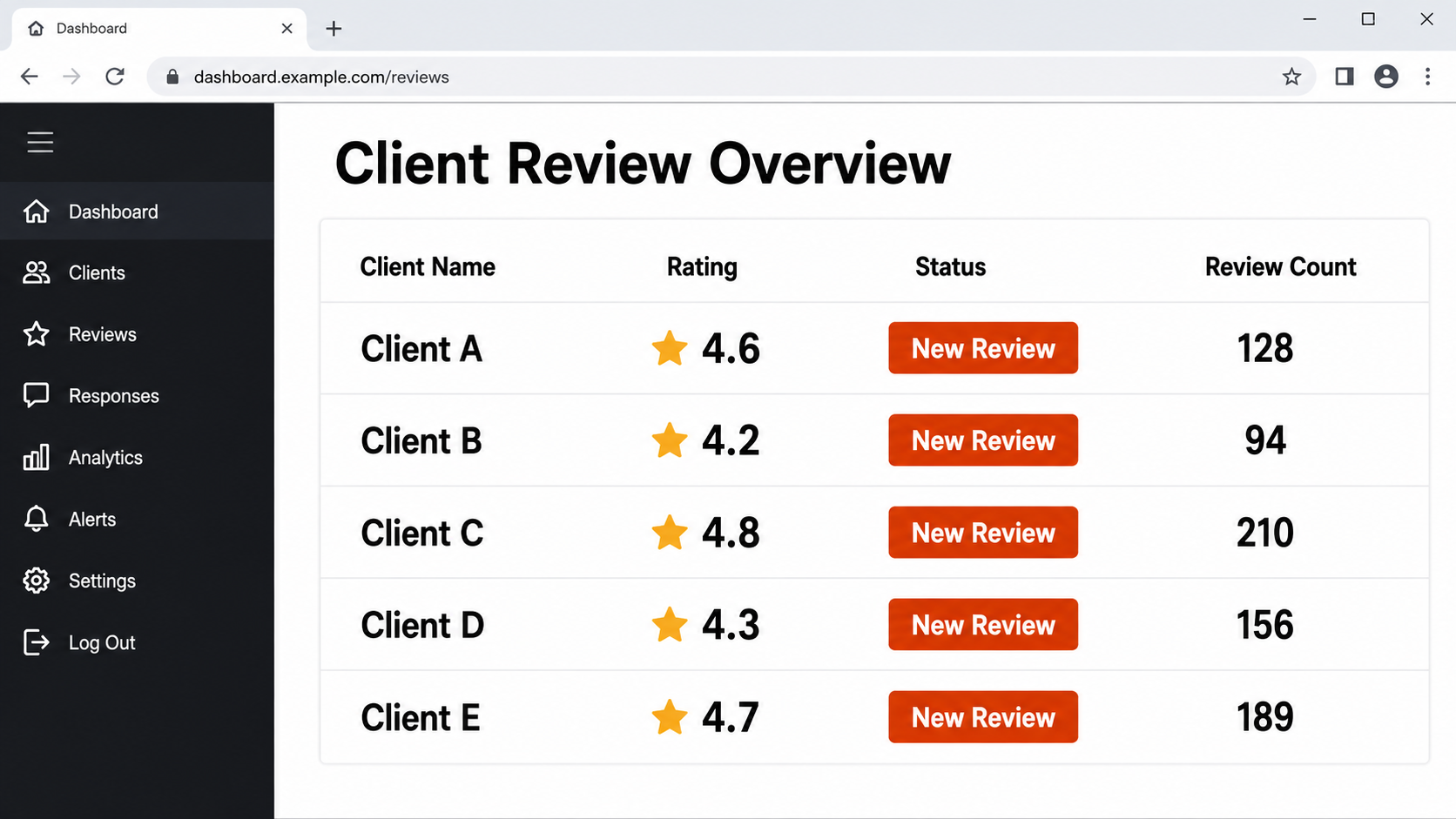
A webhook lets a system send an alert the moment something important happens. In review management, that usually means a new review, a rating drop, or a sentiment shift. For agencies, this is one of the fastest ways to protect online reputation without constant manual checking.
Speed matters most when negative reviews appear. If feedback points to customer concerns, a webhook can send the event into Slack, a ticketing queue, or another action path right away. That shortens response time and improves the chance of resolving issues before they grow.
Useful webhook actions include:
- Alert the account team when low-rated feedback is posted
- Route serious complaints into support or escalation workflows
- Notify local teams when location-specific action is needed
This setup helps agencies manage online reputations more efficiently because issues reach the right people quickly, not hours later.
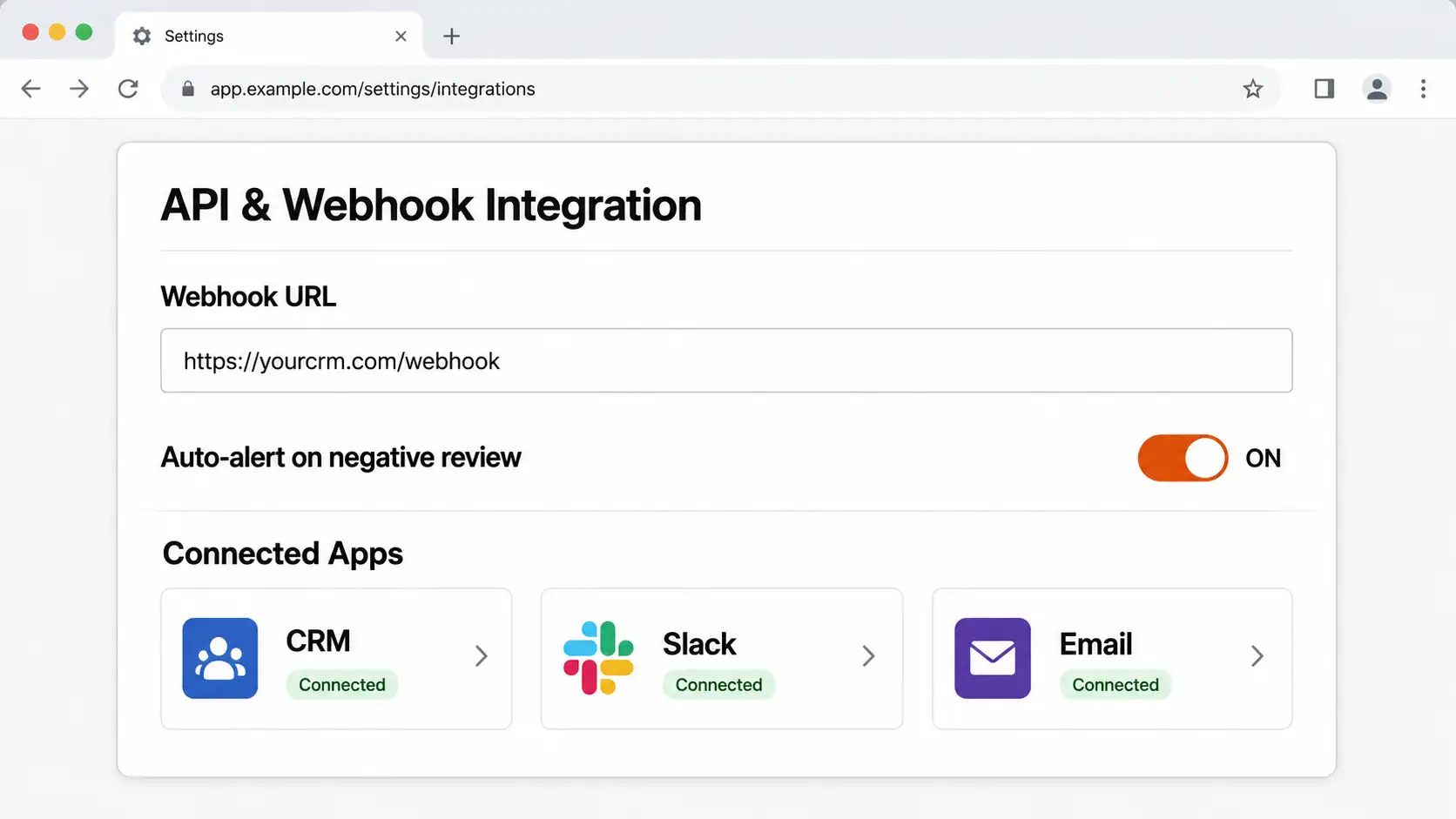
Bulk Reporting Capabilities Across Clients
Reporting is where many agencies lose time. Without connected systems, teams export files, merge tabs, and rebuild the same review metrics every month. API-based bulk reporting changes that by pulling review volume, ratings, sentiment patterns, and response data across all client accounts in one process.
That efficiency helps marketing agencies measure ROI more clearly. When review management data is aggregated, agencies can compare locations, identify weak spots, and show how operational changes affect customer trust, local SEO visibility, and customer experience over time.
Here is a simple example of what bulk reporting can include:
| Metric | Why It Matters |
|---|---|
| Review volume | Shows whether review collection is growing across clients |
| Average rating | Indicates public perception and overall star rating trends |
| Response time | Reflects service quality and internal efficiency |
| Sentiment trends | Surfaces recurring praise or customer concerns |
| Location comparison | Helps spot outliers and improvement opportunities |
With clearer reporting, agencies can tie automation to time saved and reputation gains.
Essential Features to Look for in a Review Management API
Not every review management API is built for agency needs. Some are fine for basic access, but they fall short when you need governance, integrations, and scale. Agencies should look for a review platform that supports real operations, not just simple data pulls.
The right features help protect customer trust while making workflows easier to manage. Multi-account controls, real-time updates, and flexible integration options are especially important. These are the features that usually separate a useful API from one that creates more work than it saves.
Multi-Account Support and Custom Permissions
For agencies, multi-account support is not optional. Review management software needs to handle many brands, locations, and user groups without creating confusion. If all accounts sit in one system, access rules must be clear from the start.
Custom permissions help agencies keep control. Corporate leads may need full visibility, while local teams only need their own locations. Clients may want reporting access but not editing rights. These layers reduce mistakes and support cleaner collaboration across accounts.
Useful permission features include:
- Account-level access by client or brand
- Location-level controls for local teams
- Approval paths for review responses or escalations
- Separate views for agency admins and client users
These controls support scale without losing governance. They also reduce a common integration mistake: giving the right data to the wrong people, which can weaken trust and slow down response workflows.
Real-Time Review Monitoring and Integrations
A strong API should support real-time review monitoring, not delayed batch updates alone. When new reviews arrive, agencies need to see them quickly so they can respond, route issues, and keep response quality high. That is especially important when handling many locations or high review volume.
Integrations are what make this practical. Review data should flow into the tools agencies already use, including CRM systems, messaging apps, support tools, and reporting environments. The compiled material highlights broad enterprise integrations as a major strength because review data should not live in isolation.
So how does a review management API integrate with other tools commonly used by agencies? It connects review events and review data to those systems through direct API calls and event-driven workflows. That allows customer feedback to trigger tasks, notifications, reports, and follow-up actions without constant manual intervention.
Compatibility: REST API vs Webhooks in Agency Environments
Agencies often ask whether they need a REST API, a webhook, or both. In practice, most review management API setups use both because they solve different problems. A REST API is best when your system needs to request data or send updates on demand.
A webhook works differently. It pushes an event out as soon as something happens, which is ideal for alerts and routing. That means compatibility is less about choosing one over the other and more about matching each method to the task.
Best practices include:
- Use REST API endpoints for scheduled syncs, reporting, and account management
- Use webhook events for new reviews, low ratings, or escalation triggers
- Test permissions and event routing before going live across all clients
This approach keeps integrations cleaner and avoids a common mistake: forcing every workflow through one method when the agency environment needs both.
Integrating a Review Management API with Agency Tech Stacks
A review management API works best when it fits naturally into the systems your team already uses. Integration should simplify agency workflows, not create another layer of admin work. That means connecting reviews to the tools handling sales, messaging, support, and reporting.
When those systems work together, workflow automation becomes much more useful. Review management can trigger actions, inform business decisions, and support customer experience improvements across accounts. The most common integrations show exactly how that plays out in everyday agency operations.
Common Integrations: CRM, Zapier, Slack, and Task Management Tools
Most agencies do not want review management software working alone. They want it connected to the systems where work already happens. Common integrations help turn review data into action instead of leaving it stuck inside one platform.
The most practical connections include:
- CRM systems to trigger review requests after a completed transaction or service
- Zapier to bridge review workflows with other apps when direct integrations are limited
- Slack to notify teams about new reviews, low ratings, or urgent customer concerns
- Task management tools to assign follow-up actions and track resolution
These integrations support everyday execution. A CRM can launch outreach. Slack can surface issues immediately. Task management can keep accountability visible. And Zapier can connect systems quickly when agencies need flexibility. Together, they reduce manual effort and make review management part of the agency’s real operating stack.
Best Practices and ROI Measurement for API Implementation
A good implementation starts small and stays focused. Agencies should connect the review management API to a few high-value workflows first, such as review requests, alerts, or reporting. That makes it easier to test data quality, permissions, and response paths before expanding.
ROI should be measured with both efficiency and outcome metrics. Time saved on reporting, faster review responses, higher review volume, and better visibility into customer satisfaction all show whether the system is improving operations. Reputation gains also matter because better handling supports trust and retention.
Helpful best practices include:
- Define clear goals before building integrations
- Track baseline metrics before automation starts
- Review alert quality and response workflows regularly
If agencies compare pre-API and post-API performance, they can show value clearly. That is often the strongest proof that the integration is working.
Frequently Asked Questions
What’s the best fast retrieval & search API for AI Agents?
The best option depends on your API design and workflow needs. For review management, agencies usually need fast access to review data, flexible filtering, and clean integrations with search engines or internal tools. The strongest choice is the one that improves user experience and supports quick retrieval across many client accounts.
Do agencies need developers to use a review management API?
Most modern review management platforms offer pre-built integrations and no-code webhook setups, so agencies can connect review data to their CRM or reporting tool without hiring a developer — though custom integrations may still require basic technical support.
Can a review management API handle multiple client locations?
Yes. Most review management APIs are built for multi-location and multi-client use, allowing agencies to pull review data by account, location, or brand and organize it inside a single unified dashboard.
Is a review management API the same as review request software?
No. Review request software focuses on asking customers for reviews, while a review management API focuses on monitoring, retrieving, and acting on reviews that already exist — the two are often used together.
Conclusion
In summary, a Review Management API is essential for agencies looking to streamline their workflows and enhance their service offerings. By leveraging the capabilities of an API, agencies can automate key processes like review requests and monitoring, centralize their client data, and gain valuable insights through bulk reporting. This not only saves time but also improves the responsiveness to client needs, ultimately driving better results. As you consider integrating a Review Management API into your operations, be sure to evaluate features that align with your agency’s unique requirements. If you’re ready to enhance your review management strategy, don’t hesitate to reach out for a consultation to explore your options!

Harper Wilson
Harper Wilson writes about software review platforms and the importance of customer feedback in today's business decisions. She covers G2, Capterra, Reviews.io, and other top review sites. Her articles look at profiles, ratings, getting reviews, customer feedback, and reputation. Harper also shares how businesses can use reviews to appear more trustworthy, understand what people feel, and boost their online presence. She works to provide clear ideas and useful tips that help businesses keep up with online reviews and use customer feedback more effectively.
