
Google Play Review Velocity: How Fast Is Too Fast?
Google Play Review Velocity: How Fast Is Too Fast?x
Review velocity — new reviews per week — functions as a soft ranking signal on Google Play: apps with a sustained increase in velocity often see ranking lifts within 30-60 days, while apps that suddenly stop receiving reviews lose search ranking even if their star rating holds steady, and featured placements correlate with high velocity in the preceding 30 days. But there’s a ceiling. Google verifies every reviewer through account country, IP address, and device locale, so a sudden unnatural spike trips fraud detection almost immediately. There’s no published numeric threshold for “too fast,” which means the safest strategy isn’t chasing a number — it’s pacing review requests around real usage moments (updates, in-app prompts, completed actions) so growth looks like adoption, not a campaign.
Understanding Review Velocity on Google Play
Review velocity on Google Play refers to the speed at which your app review activity appears over a given time frame. That includes how quickly users leave ratings and written feedback after install, updates, or marketing campaigns. In the google play store, steady movement usually looks more natural than a sudden flood.
For most apps, a normal pace is gradual and tied to real user growth. Since google play review times and user activity vary, there is no single number that fits every app review pattern. What matters most is whether the pace matches your app’s actual reach and user experience.
Definition and Importance of Review Velocity
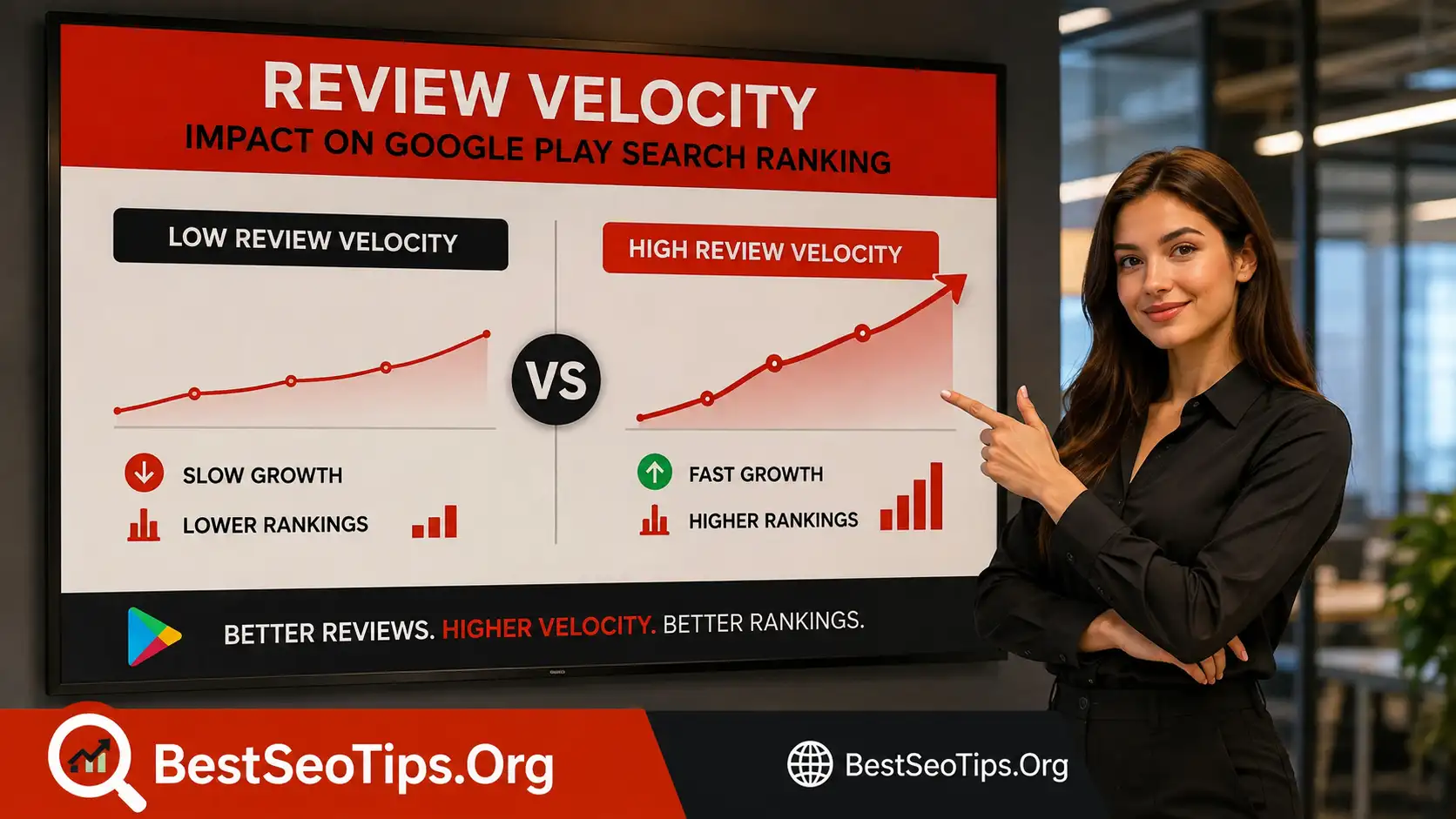
Review velocity is the rate at which new ratings and written feedback appear for your app. In simple terms, it measures speed, not just totals. During the review process, Google looks for signals that match normal user behavior. That is why app developers should pay attention to timing, not only volume.
The google play review process already combines automated checks with human evaluation for submissions and updates. A similar mindset applies to review activity after release. If your google play app review pattern suddenly changes without a clear reason, it can look out of place against your install growth or release schedules.
So how fast is too fast? The compiled information does not give an official number, but it does show that Google values policy compliance, accuracy, and trust. If reviews arrive far faster than genuine adoption would suggest, that pace can become a warning sign rather than a win.
How Review Velocity Differs from Review Quantity
A lot of teams confuse review velocity with review quantity. They are not the same. Quantity is the total number of ratings and comments your app review profile has collected. Velocity is how quickly those numbers increase over specific review times, such as after a launch, update, or ad push.
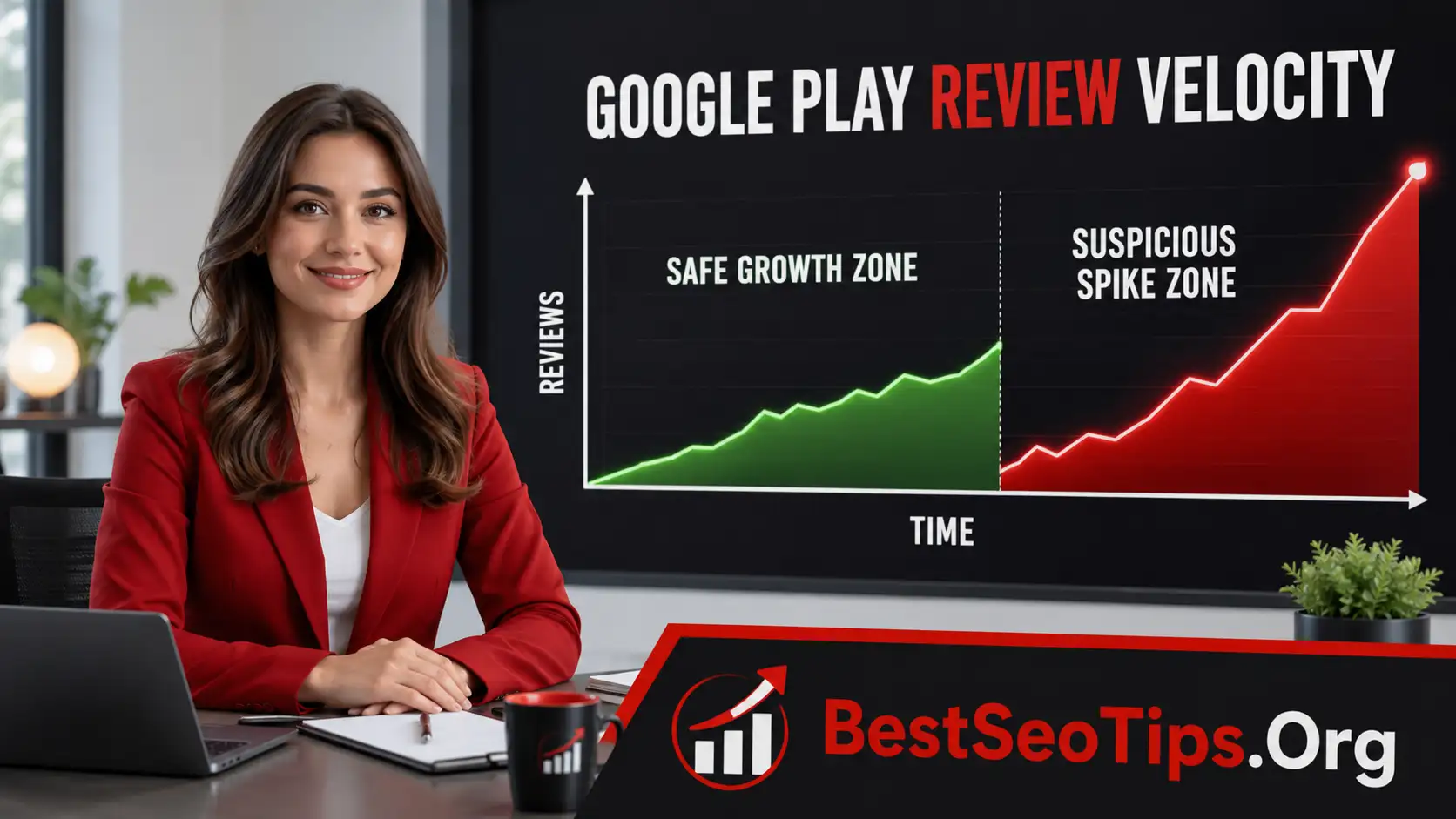
Think of it this way: an app store listing with 5,000 reviews gathered over many months can look perfectly normal. A google play review profile that gains 500 reviews in a very short window may attract more attention, even if the total count is still lower. Speed changes the pattern Google sees.
The compiled information does not mention official guidelines with fixed limits for review velocity. Instead, Google emphasizes policy compliance, content rules, and review process quality. That means you should focus less on chasing numbers and more on making sure growth reflects real user activity and genuine demand.
Typical Review Velocity Benchmarks in the United States
There is no official public benchmark in the compiled information that sets a standard review velocity for every google play app in the United States. Still, you can use a practical approach. Healthy patterns usually follow installs, update adoption, and normal user engagement, rather than appearing all at once in the developer console.
For submission-related app review times, the compiled information is clearer. Most new app reviews are completed in a few days, often around three days, while peak periods may stretch beyond seven days. Closed testing can take three to five days, and sometimes up to seven days depending on conditions.
| Activity Type | Typical Time Frame or Pattern |
|---|---|
| New app review | Usually a few days |
| Average initial review time | Around three days |
| Peak submission periods | Seven days or longer |
| Closed testing review | Three to five days |
| Review velocity pattern | Best when it grows steadily with real user demand |
The Role of Review Velocity in App Search Ranking
Review velocity can shape how your app is perceived inside Google Play, even if Google does not publish a formula for app search ranking. Fresh feedback can support relevance and trust, especially when it appears alongside real installs, stable performance, and a smooth app review history.
At the same time, unnatural bursts can work against you. Google uses automated systems and human review patterns to compare activity with expected behavior. If the speed looks disconnected from your app review process, visibility signals may weaken instead of improve. That leads naturally into recommendation surfaces like “You Might Also Like.”
Impact of Review Activity on “You Might Also Like” Recommendations
“You Might Also Like” recommendations depend on trust, relevance, and user behavior signals. A healthy flow of app review activity can support that user experience because it suggests people are downloading, using, and reacting to your google play app in a believable way. Steady feedback often looks more credible than abrupt waves.
When reviews come in too quickly, the pattern can feel disconnected from normal app store review behavior. If a small app suddenly receives an outsized burst, Google may treat that activity with caution. The compiled information shows that Google relies on both automated checks and human evaluation in its broader systems, which means unusual timing can stand out.
So how fast is too fast? There is no published cutoff here, but speed becomes risky when it no longer matches genuine usage. If your review activity rises because your app improved or your audience expanded, that is one thing. If it leaps without support from real engagement, that is very different.
Influence on App Visibility and User Perception
Your google play review profile affects more than algorithms. It also shapes how people feel when they land on your listing. A steady stream of recent feedback can improve app visibility and reassure users that the product is active, maintained, and worth trying. That matters for user experience before they even install.
On the other hand, a sudden flood of similar-looking reviews can create doubt. Users notice patterns quickly. If the timing or tone feels unnatural, trust can drop. The same issue can influence the app review process around updates if your app already appears risky or poorly managed.
Yes, a high review velocity can trigger suspicion when it looks disconnected from reality. The compiled information stresses Google’s focus on safety, compliance, and quality. That means your best path is not aggressive volume. It is believable momentum supported by a useful app, clear updates, and a consistent release history.
Comparing Steady vs. Rapid Review Growth Patterns
Not all growth patterns send the same signal. A steady google play review trend usually follows real app adoption, feature improvements, or regular marketing campaigns. Rapid growth, by contrast, can look mismatched if installs, retention, and engagement do not support it. That difference matters to app developers who want durable results.
You can think of the review process as a pattern-matching exercise. Google already reviews submissions with automated tools and human checks. Similar logic can apply to user review activity, especially when app review times, updates, and user behavior tell conflicting stories.
- Steady growth usually reflects normal user discovery and ongoing satisfaction.
- Rapid spikes may stand out if they appear in a short time frame without a clear trigger.
- Balanced momentum is safer than forcing a sudden jump in feedback.
If you are wondering how fast is too fast, the practical answer is this: too fast is any pace that no longer looks natural for your app’s size, age, and recent activity.
Signs of Unnatural Review Velocity and Google’s Red Flags
Unnatural review velocity usually stands out because the timing does not match normal user behavior. In the google play review process, Google already checks apps for safety, quality, and policy compliance. That same focus on trust makes unusual review times and sudden surges worth watching closely.
A spike does not always mean abuse, but it can raise questions under google play’s guidelines. If your app collects feedback far faster than installs, updates, or reach would suggest, Google may treat it as suspicious. The next sections break down the thresholds, behaviors, and patterns that can trigger red flags.
Thresholds That May Activate Google’s Fraud Detection
The compiled information does not provide a hard threshold for suspicious review activity. There is no official number here that says a certain count per hour or day will trigger enforcement. Still, the overall message is clear: Google values policy compliance, accuracy, and natural patterns within the google play review process.
That means thresholds are likely behavioral rather than fixed. If review times suddenly compress into a narrow window and the pace is far beyond what your install trend supports, the pattern may activate deeper checks. The risk grows when bursts happen without a product update, major campaign, or visible rise in genuine users.
So how fast is too fast? In practice, it is too fast when the growth curve stops matching reality. Google play’s policies are built around trust and safety. If your review pattern appears manufactured instead of earned, even a short burst can become a problem regardless of the exact number attached to it.
Behaviors Considered Suspicious by Google
Google looks for signs that activity does not reflect genuine user behavior. The compiled information shows that its systems combine automated checks and human review, so suspicious patterns can be flagged from more than one angle. If your app review activity feels staged, you may see trouble show up in the developer console.
Certain behaviors are more likely to create risk because they clash with trust-based signals. Google play review activity should line up with real installs, working features, and authentic engagement. When timing, quality, and source patterns drift apart, that can invite scrutiny or even a policy violation notice.
- Large bursts of reviews arriving in a short time frame without matching user growth
- Repetitive review behavior that looks coordinated rather than independent
- Activity tied to low-quality engagement instead of actual app use
Google’s algorithm likely detects unnatural activity by comparing timing, account signals, and usage patterns. If several indicators move in the wrong direction at once, the pattern becomes harder to explain as normal growth.
Real Examples of Review Spike Patterns
You do not need an official case study to recognize what a risky spike looks like. In a normal app review process, feedback tends to build after a public release, feature update, or campaign. The rise may be noticeable, but it still follows real app usage. Risky spikes feel compressed and disconnected.
Picture a small app that has quiet activity for weeks, then receives a sharp burst of google play review posts in a single day. If installs, retention, and update activity stay flat, that pattern can look suspicious. The same concern applies when app store review behavior changes faster than any reasonable user response would suggest.
- A new app gets modest downloads but suddenly attracts a large wave of reviews overnight
- An older app with little recent change sees a short, intense spike without a visible trigger
Yes, that kind of jump can trigger suspicion because it breaks the pattern Google expects from organic growth inside the google play review process.
How Google Verifies Reviewer Authenticity
Google does not rely on review count alone. To protect trust, it likely checks whether the people posting feedback look like real users with believable behavior. In the broader app review process, Google already uses automated systems and human reviewers, so authenticity checks fit that same logic.
For google play review activity, signals can include the reviewer’s personal account history, device details, and timing patterns. Google play review times also matter because rushed clusters often stand out. The following sections look at the account, IP, locale, and algorithmic signals that can help Google validate review sources.
Reviewer’s Account History and Quality Signals
A reviewer’s history can say a lot about whether feedback looks genuine. While the compiled information does not list every ranking factor, it does show that Google values safety, trust, and accuracy across its systems. That means a google play review from a believable personal account may carry more confidence than one from a weak or erratic profile.
Quality signals are often about consistency. Does the account appear to behave like a real user over time? Does the timing make sense next to app review times and normal usage? If a wave of feedback comes from accounts with limited credibility, that pattern may raise concerns even before you see anything in the developer console.
- Accounts with normal activity history are easier to trust than accounts with thin behavior
- Reviews that fit real usage patterns look stronger than reviews posted in unnatural clusters
Google’s algorithm likely detects odd review activity by comparing account quality with timing, content style, and usage signals rather than relying on one factor alone.
Tracking IP Addresses and Device Locale
IP patterns and device locale can help explain whether a review wave looks natural. The compiled information highlights automated screening as a first layer in the google play review process, followed by deeper human checks. That structure suggests Google can compare technical signals with expected user behavior during and after the app review process.
If many reviews appear at nearly the same time from closely related locations or unusual device settings, the pattern may stand out. Device locale matters because it should often match the app’s audience, language, and distribution pattern. When technical signals clash with normal review times, the activity becomes harder to justify.
This does not mean every shared network or regional cluster is a problem. A local campaign can create concentration. The issue is whether the technical footprint matches the story behind the growth. When timing, location, and user behavior align, the pattern looks organic. When they conflict, risk rises.
Use of Advanced Algorithms to Validate Review Sources
Google’s broader review framework already uses an automated app review system before human evaluation, according to the compiled information. That tells you something important: pattern recognition is central to the google play review process. The same logic can help validate whether an app review source looks real or manipulated.
Advanced algorithms are useful because they can compare many signals at once. Timing, account history, activity clusters, locale patterns, and review quality can all be assessed together. A single odd event may not matter much, but several weak signals combined can point to a policy compliance problem or possible abuse.
For developers, the lesson is simple. You do not need to know every technical rule to stay safe. If your review activity comes from real users who found value in your app, the pattern is easier to defend. When growth is forced, algorithms are more likely to notice the mismatch.
Consequences of Exceeding Safe Review Velocity
When review velocity moves beyond what looks natural, the downside can be immediate. Google’s systems are built around trust, safety, and policy checks, so unusual app review patterns may trigger deeper scrutiny. That can interrupt momentum at a critical point in your google play app review journey.
Yes, high review velocity can lead to suspicion and penalties if it appears manipulated. The impact may show up as delayed visibility, warnings, or a policy violation notice. In the next sections, you will see what Google may do right away, what longer-term damage can follow, and how recovery usually works.
Immediate Actions Taken by Google
If Google detects unusual behavior, the first response may be caution rather than instant removal. The compiled information shows that Google already uses automated checks and human review during the app review process. That means suspicious google play review activity can lead to added scrutiny, requests for clarification, or delayed progression.
You may notice the impact through status changes, visibility issues, or messages in the developer console. In serious cases, policy compliance concerns can become formal warnings. Google is trying to protect the store, so it will act when review behavior appears to conflict with trust and safety expectations.
- Additional review or manual inspection of your app or recent activity
- Warning signals or a policy violation notice if the pattern suggests manipulation
Yes, a high review velocity can trigger suspicion. Even if the action starts small, the interruption can affect launch timing, marketing campaigns, and confidence in your app’s listing.
Long-Term Effects on App Search Ranking
The longer-term risk is not only a warning. It is reduced trust. If your google play app review pattern looks manipulated, that can weigh on how your app is treated in discovery surfaces over time. Even without a public explanation, weaker confidence can hurt app search ranking and limit future momentum.
This matters because ranking is shaped by more than keywords. Google’s broader systems care about safety, quality, and believable behavior. If your review history appears unstable, the google play review process around future updates may also feel less predictable. App review times could lengthen when closer inspection becomes necessary.
Yes, suspicion can create lasting drag. A short-term spike may pass, but the pattern can leave questions behind. For app developers, that means the real cost is not only the immediate disruption. It is the slower recovery in visibility, trust, and user confidence once the signal quality has been damaged.
Recovering from Review Spike Penalties
Recovery starts with accepting that trust has to be rebuilt. The compiled information recommends close attention to policy compliance, quick responses to Google, and careful handling of rejection feedback. Those same habits matter if suspicious app review patterns have caused delays or penalties inside the google play review process.
Your first move should be practical. Check messages, status changes, and any notices in the google play console. If reviews or updates seem stuck in progress, look for questions from Google and answer them fast. Then make sure your listing, content, and app behavior match what Google expects from a legitimate release.
- Review any warning or feedback carefully before making changes
- Resubmit only after fixing the issue and removing the cause of the spike
Developers should stay patient and methodical. Google may take days or longer during heavier review periods, so the safest recovery path is clean documentation, honest fixes, and better review behavior going forward.
Strategies for Healthy and Organic Review Velocity
Healthy review velocity comes from real users reacting to a useful product. That means your goal is not to manufacture speed. It is to create conditions where feedback appears naturally over time. For app developers, the safest path is to align growth with the normal app review process and strong product quality.
Yes, there are safe growth practices. The compiled information points to better listings, bug-free performance, policy compliance, and prompt responses during review. Those basics also support better google play review activity after launch. Next, let’s look at how genuine feedback, careful practices, and regular updates help sustain a natural pace.
Encouraging Genuine User Feedback
The best way to earn more app review activity is to give people a reason to respond. If your product works well, feels intuitive, and solves a clear problem, users are more likely to leave feedback on their own. That is why user experience sits at the center of healthy review growth.
The compiled information also stresses bug fixing, quality visuals, accurate listings, and clear descriptions. These are not just approval tactics for the google play review process. They also improve what users see before and after install, which can make app store review behavior more positive and more consistent.
- Improve app quality before asking users to rate their experience
- Match your listing to the real product so expectations stay realistic
Yes, genuine feedback can be encouraged safely. You do it by earning trust, reducing friction, and making each update feel useful. When satisfaction grows, reviews tend to appear at a believable pace.
Safe Growth Practices for App Developers
Safe growth starts before launch. App developers should treat the google play review process as part of a larger trust system, not a box to check. If your app is clear, stable, and compliant from the start, you reduce the chance of review problems later. That includes planning around realistic app review times.
The compiled information gives several practical steps. Provide detailed descriptions, use high-quality screenshots and videos, complete pre-submission checks, and respond quickly to Google’s questions. These habits support policy compliance and create a stronger base for real user adoption once the app reaches public release.
- Test thoroughly so technical issues do not undermine early feedback
- Keep account and listing details accurate to avoid avoidable delays
Yes, there are strategies for healthy organic review velocity. They are simple, but they require discipline. Build trust early, release carefully, and let genuine user response grow from product quality rather than pressure.
Leveraging App Features and Updates to Sustain Reviews
Reviews often rise when users notice improvement. That is why continual updates matter. A refined feature set, better stability, and fewer bugs can create natural reasons for users to revisit your app and share new reactions. Strong app review activity usually follows real value, not forced timing.
The compiled information points to private beta testing, bug fixes, and prompt issue resolution as ways to improve approval and performance. Those same actions help after release. If you use the google play console to monitor progress and release carefully planned updates, app store review growth can stay consistent and believable.
- Use updates to fix problems users actually notice
- Make improvements visible through clear descriptions and accurate listing changes
Yes, features and updates can sustain healthy review velocity. The key is relevance. When each release improves the product in a meaningful way, users are more likely to respond over time without creating risky spikes.
Monitoring Your Review Velocity Effectively
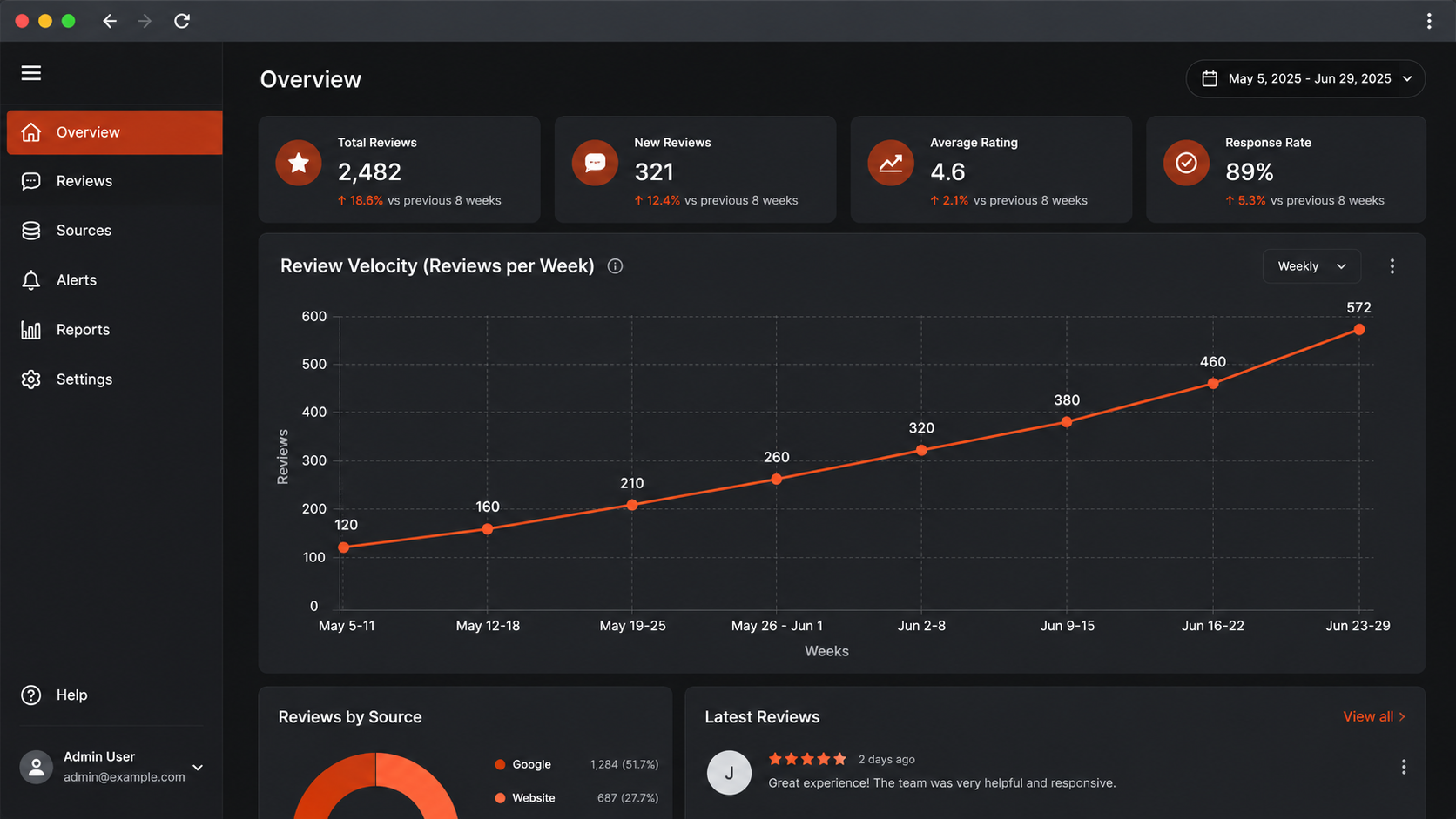
You cannot manage what you do not track. Monitoring review velocity helps you spot whether feedback growth matches installs, updates, and normal app review times. Inside the developer console, status signals and timing patterns can show when something is healthy and when something needs a closer look.
If reviews or updates seem stuck in progress on Google Play, start with review management basics. Check status changes, watch for questions from Google, and compare recent activity with your release pattern. The next sections cover useful tools, early warning signs, and habits that make monitoring easier over time.
Tools and Alerts Available to Developers
The most important tool is the google play console. The compiled information explains that developers can track an app’s review progress there and watch status indicators such as “In Review.” That makes the developer console your main hub for review management, especially when app review times start stretching longer than expected.
Alerts can be simple but useful. Check email notifications from Google, monitor status changes often, and compare each update with your normal publishing pattern. If something looks off, quick action matters. Prompt replies to Google’s questions can prevent extra delays and help move the submission process forward.
- Watch status indicators closely after submission or update release
- Respond fast to any request for clarification or additional work
If reviews seem stuck, developers should not guess. Use the google play console, read every message carefully, and verify that the app listing, content, and settings are complete and accurate.
Recognizing Early Warning Signs of Unnatural Activity
Early warning signs are usually about mismatch. If your google play review activity rises much faster than installs or campaign reach, that deserves attention. The same is true when review times for updates suddenly change and there is no obvious reason in your google play review process.
Another sign is sudden compression. A large block of feedback appearing in a narrow window can look unnatural, especially if your app had quiet activity before that. The developer console may not label the issue directly, but irregular timing and unexpected delays can hint that Google is taking a closer look.
- A burst of reviews appears without a feature update or visible growth trigger
- Status movement slows down after unusual activity around a release
If items are stuck in progress, developers should compare recent behavior with past patterns, check for any missing compliance details, and be ready to answer Google quickly if a manual check begins.
Best Practices for Ongoing Review Management
Good review management is steady work, not a one-time fix. The compiled information recommends accurate listings, policy compliance, pre-submission checks, and close monitoring of statuses. Those habits help you keep the google play review process smooth and make app review times easier to interpret when something changes.
It also helps to build routines. Check the developer console regularly, monitor email notifications, and keep records of updates, bug fixes, and release schedules. When you know what changed and when, you can spot unusual behavior faster and explain your activity more clearly if Google asks questions.
- Review status indicators after every submission, update, or major campaign
- Keep your app stable and your listing truthful so review patterns stay credible
If progress gets stuck, stay calm. Developers should verify compliance details, respond promptly, and avoid making rushed changes that create more confusion. Consistent review management protects both speed and trust.
Frequently Asked Questions
What is the average processing time for app reviews on Google Play?
App review times on Google Play are usually a few days, with many reviews averaging around three days. During busy periods, google play review times can stretch to seven days or longer. You can track progress in the developer console as your google play app moves through the google play review process.
Why do some app reviews take longer to appear than others?
Some delays happen because the review process includes both automated checks and human evaluation. High submission volume, complex features, policy questions, or missing details can slow a google play review. Watching status changes in the google play console can help you understand why app review timing varies.
Does Google Play have official guidelines for review velocity?
The compiled information does not show official limits for review velocity in google play’s guidelines. Instead, the google play review process focuses on policy compliance, quality, and trust. In practice, review times and growth patterns should look natural within the app review process and match real user activity.
Conclusion
In conclusion, understanding review velocity on Google Play is crucial for app developers aiming to optimize their search rankings and user engagement. By maintaining a healthy review pace, you can enhance visibility and credibility while avoiding the pitfalls of unnatural spikes that may attract Google’s scrutiny. Employing safe growth strategies such as encouraging genuine user feedback and monitoring your review patterns will help you build a sustainable approach to accumulating reviews. If you want to dive deeper into optimizing your app’s review process, don’t hesitate to reach out for a free consultation with our experts.

Amelia Brooks
Amelia Brooks writes about Google Reviews and the problems that come up when businesses receive online customer feedback. Her writing covers how to improve review scores, handle bad reviews or missing reviews, understand what Google wants from reviews, respond to people, and get more real feedback from happy customers. Amelia explains Google Reviews in a way everyone can understand. She shares tips that help owners make their business look better to people, build trust, and keep good reviews working for the business over time.
