
How to Ask Customers for Google Reviews: Scripts, Tips & Best Practices
How to Ask Customers for Google Reviews
Learn how to ask customers for Google reviews with proven scripts, timing tips, email and SMS examples, review links, QR codes, and Google’s best practices.
To ask customers for Google reviews, make the request simple, timely, and genuine. Ask after a positive customer interaction, provide a direct Google review link or QR code, and use short messages through email, SMS, WhatsApp, or in-person conversations. Avoid offering discounts, free products, or other incentives in exchange for reviews, because Google prohibits incentivized reviews. Businesses should also welcome honest feedback rather than asking only for positive or five-star reviews.
Why Google Reviews Matter for Your Business
Google reviews matter because they directly affect your online presence. When people search for local businesses, they often compare ratings, review volume, and recent comments before making a choice. Your Google Business Profile becomes more convincing when it shows steady online reviews from real customers.
Just as important, reviews create social proof. They help future buyers feel more confident about contacting you, visiting your location, or making a purchase. That mix of visibility and trust is why reviews deserve your attention.
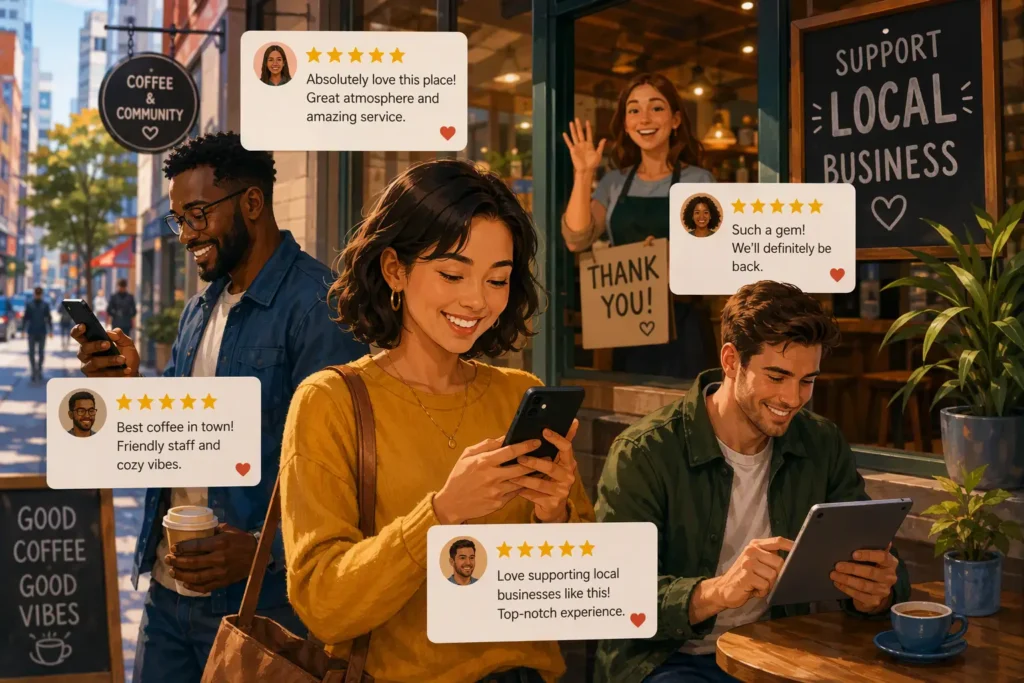
Boosting Reputation and Trust with Google Reviews
Trust starts before a customer speaks to you. Many people check online reviews first, and your rating can shape that first impression right away. A strong Google Business Profile with recent feedback shows that your business is active, real, and serving people consistently.
Positive reviews act as social proof. Instead of hearing claims from an ad, potential customers hear directly from others who already bought from you or used your service. That kind of customer feedback feels more believable and helps reduce doubt.
Even a smaller number of strong comments can improve how people view your business. When your reviews mention quality service, helpful support, or a smooth experience, your reputation becomes easier to trust. That trust can lead to more inquiries, visits, and repeat business over time.
Impact of Google Reviews on Search Rankings
Yes, Google reviews can affect local search rankings. Google looks at review quantity, freshness, and overall star rating when deciding which businesses appear more prominently in search results. If your profile keeps getting recent feedback, that activity can support stronger visibility.
This matters even more for local businesses that depend on nearby customers. In Google Maps and the local pack, profiles with stronger online reviews often stand out first. That means your Google Business Profile is not just a listing. It is part of your search engine optimization effort.
A better position in search results can bring more clicks, calls, and store visits. So if you want to improve local reach, reviews are not a side task. They are part of how customers find you before they find someone else.
Influencing Customer Decisions Through Feedback
Before people buy, they often look for reassurance. Customer reviews help them understand what your business is actually like, from service quality to convenience. That makes customer feedback a deciding factor, especially when buyers are comparing several similar options.
Positive feedback can highlight the details that matter most. One review may mention fast service. Another may praise product quality or a helpful team. Together, those comments give future customers a clearer picture of what they can expect from you.
People also respond to the feeling that opinion matters. When they see others sharing honest experiences, they feel more comfortable trusting the business. In that way, reviews do more than describe the past. They guide future decisions and influence who chooses you next.
Best Practices for Asking Customers for Google Reviews
The best review requests are simple, timely, and easy to act on. Ask after a good customer service moment, keep your wording natural, and include your business name so the request feels clear and legitimate. A direct Google review link also removes extra steps.
Just as important, keep it brief. Customers are more likely to leave a quick review when the process feels effortless. The next sections break down the right tone, timing, and personalization strategies that improve results without creating pressure.
Maintaining a Natural and Polite Approach
A polite request works best when it sounds like a real conversation. If a customer has a good customer service experience, thank them first, then invite them to share feedback if they have a moment. That keeps the tone warm and lowers resistance.
The right way is to ask for an honest review, not just positive reviews. That matters for trust, and it also helps you stay aligned with Google’s policies. Customers should feel free to describe their experience in their own words without pressure.
A few simple habits help:
- Ask after a good interaction, not out of nowhere.
- Use short language that feels human, not like a script.
- Thank them whether they leave a review or not.
When your request feels respectful, customers are more likely to respond.
Timing Your Google Review Requests Effectively
Timing can change everything. The right time to send review requests is usually soon after a recent purchase or completed service, while the customer experience is still fresh. If you wait too long, even satisfied customers may forget the details or lose momentum.
Another strong moment is right after a customer expresses thanks or shows clear customer satisfaction. That could happen after a problem is solved, during a follow-up call, or in a thank-you email. If they are already praising your business, the review request feels more natural.
Poor timing does the opposite. Asking too often, too early, or during a stressful moment can hurt response rates. Keep your request tied to a positive interaction, and you will have a better chance of getting useful, authentic feedback.
Personalizing Your Messages to Each Customer
Personalized review requests usually perform better than generic ones. When you use the customer’s name and mention their visit, order, or service, the message feels real. It shows that you remember the interaction and value their customer feedback.
You do not need a long message. A few specific details are enough to improve response rates and encourage positive feedback. Pair that personal note with a direct link so the customer can move from reading to reviewing without extra effort.
Try including:
- The customer’s name
- A short reference to their recent service or purchase
- A thank-you for choosing your business
- A direct link to the review page
That small amount of personalization can make a simple ask feel thoughtful instead of automated.
Choosing the Right Moment to Request a Google Review
The right time is usually tied to a strong customer service interaction. If someone just completed a purchase, praised your team, or thanked you for solving a problem, you already have the opening you need. That moment carries momentum.
Customer satisfaction is the signal to watch. When positive feedback appears naturally, your request feels expected rather than forced. Below, you’ll see the best situations to use, plus how to follow up without pushing too hard.
After a Successful Transaction or Service
One of the strongest times to ask is right after a successful transaction. If the customer just completed a purchase or service and seems pleased, the experience is fresh and easy to describe. That makes customer feedback more likely and often more detailed.
This also works well after a completed appointment, delivery, or project. If the customer confirms that everything went smoothly, you can ask for a quick review before that positive feeling fades. A short request is often enough when the moment is right.
These timely reviews help your online reputation in two ways. First, they add fresh content to your profile. Second, they show future buyers that people are having current, positive experiences with your business, not just ones from months ago.
Following Up Without Being Pushy
Sometimes customers mean to leave a review but get distracted. A gentle follow up can improve response rates, especially if your first Google review request was sent soon after a positive customer experience. The key is to keep the tone helpful, not demanding.
Your second message should feel like a reminder, not pressure. Thank them again, keep it short, and include the same direct review link. If they choose not to respond, move on. A polite request respects their time and protects the relationship.
Keep these follow-up habits in mind:
- Wait a few days before sending a reminder.
- Send only one follow up in most cases.
- Focus on appreciation, not urgency.
That approach keeps the process professional and customer-friendly.
Leveraging Positive Customer Interactions
Positive interactions give you the best opening for review requests. If customers thank your team, compliment your service, or mention a smooth experience, they are already telling you they are satisfied. That is the moment to invite them to share that feedback publicly.
Happy customers often become your easiest review source. The same is true for loyal customers and brand advocates who already support your business, refer others, or mention you on social media. They usually need only a simple prompt and a clear link.
These reviews tend to be stronger because they come from real enthusiasm. Great reviews from people who already believe in your business carry more weight with future buyers. They also help create a steady pattern of authentic praise that supports trust and visibility.
How to Ask for Google Reviews In Person
Asking in person can be very effective because the interaction is immediate and personal. If you are a business owner or team member speaking face-to-face with a satisfied customer, the request can feel natural and sincere. That makes it easier to turn a good moment into customer reviews while the experience is still fresh. In-person requests work especially well after a completed service, a successful purchase, or a customer compliment.
That said, in person is not always better than email or text. The best channel depends on the situation and what feels convenient for the customer. A Google review request made face-to-face can be strong, but it still needs to be brief, polite, and easy to complete. Adding a card, QR code, or follow-up link can make the next step simple.

Face-to-Face Review Request Strategies
The most natural in-person ask starts with the moment you already have. If the customer is smiling, thanking you, or praising the service, respond to that first. Then make your request conversational by using the customer’s name and a simple line about how feedback matters.
Keep the review process easy to understand. You can mention that it only takes a minute and offer a printed card or text with your Google review link. The goal is to reduce uncertainty, not to sell the idea too hard.
Helpful face-to-face habits include:
- Ask right after positive feedback, not before.
- Use the customer’s name if you know it.
- Offer the Google review link right away.
That combination makes review requests feel calm, direct, and respectful.
Conversation Tips for In-Person Requests
In-person requests work best when they sound like part of normal customer service. If someone shares positive feedback, thank them and say you would appreciate a review if they have time. That is the right way to keep the request easygoing and genuine.
Avoid making the customer figure out the next step alone. If possible, point them to the review page with a card, receipt note, or follow-up text. A review link removes friction and helps customers act while the experience is still clear in their minds.
Use these conversation tips:
- Start with gratitude before asking for anything.
- Keep your request to one or two sentences.
- Make the review page easy to access.
When the ask feels light and helpful, people are more likely to follow through.
Best Practices for Physical Businesses
Physical locations have a built-in advantage because they meet customers directly. For local businesses, that means you can ask at checkout, after a service, or during a friendly goodbye. If your business profile is complete and active, those reviews can strengthen your visibility where it matters most.
Make the process visible inside your location. A small sign, printed receipt message, or front-desk prompt can direct people to your Google review page without interrupting the experience. This works especially well when customers already seem satisfied.
A QR code can make this even easier. Customers can scan it on the spot and go directly to your Google profile from their phones. For local businesses, simple tools like this can turn everyday foot traffic into a steady stream of honest reviews.
How to Request Google Reviews by Email
Email is one of the most reliable ways to ask for Google reviews because it gives customers a clear message they can open when convenient. It works especially well after a transaction, appointment, or customer service exchange. Good email review requests are short, friendly, and tied to a recent experience. They should thank the customer first, mention your business profile, and include a direct Google review link so the next step is obvious.
You can also improve consistency by using an email template. That helps your team send review requests at the right time without starting from scratch each time. The best messages still feel personal, even when automated. Add the customer’s name, reference the service or purchase, and keep the ask simple. If the path to leaving feedback is easy, more customers will complete it.
Email Template Examples for Google Review Requests
A good email template gives customers a clear reason to respond. Start by thanking them, mention the service or purchase, and invite them to share feedback if they have a minute. Add your Google review link so the review process feels quick and direct.
For example, you could write: “Hi [Customer Name], thank you for choosing us. We hope you had a great experience. If you’d like to share your feedback, here’s our business page: [Google Review Link].” That kind of wording is brief and easy to understand.
To make your email template stronger:
- Use the customer name in the greeting.
- Keep the message centered on their experience.
- Link directly to the business page.
Simple templates often work better than long emails because customers can act without extra reading.
Writing Subject Lines That Encourage Response
Your subject line shapes whether the email gets opened at all. For review requests, clear subject lines usually perform better than clever ones. Customers should know right away that you are asking for feedback, not sending a promotion or a sales message.
Keep your wording short and connected to the recent interaction. Phrases like “Thanks for visiting us” or “Could you leave a quick review?” are easy to understand. They fit naturally with an email template designed to improve response rates without sounding overly formal.
Useful subject line ideas include:
- Thanks for choosing us
- Could you leave a quick review?
- We’d value your feedback
Straightforward subject lines support better response rates because they set the right expectation from the start.
Ensuring Clear Instructions and Easy Access to Review Links
If customers have to search for your listing, many will stop halfway. The easiest fix is to include a review link that sends them straight to the review page. A direct link removes confusion and makes the process feel manageable from the start.
Your email should also tell them exactly what to do. Use one short sentence with the customer’s name, thank them, and invite them to share feedback through the link. Clear instructions help create an easy process, especially for people who are busy or less comfortable with online steps.
To simplify the path:
- Add one direct link, not several options.
- Place the link near the main request.
- Keep the instructions to a single clear action.
When the process is simple, more customers complete it.
How to Ask for Google Reviews by SMS and Messaging Apps
SMS and messaging apps are useful because customers usually read them quickly. A short text message after a visit, delivery, or completed service can bring in Google reviews while the experience is still fresh. These review requests work best when they are brief, friendly, and sent at the right moment. Add a review link so customers can respond from their phones without extra steps.
Messaging tools also help you meet customers where they already communicate. SMS is fast, and apps like WhatsApp can feel even more personal when used appropriately. Some businesses also support review requests through social media messages after a positive interaction. No matter the channel, the same rule applies: keep the ask simple, respectful, and easy to complete.

Crafting Effective SMS/Text Requests
A strong text message gets to the point fast. Thank the customer, mention your business name, and ask for customer feedback in a way that feels casual. Because space is limited, every word should move the reader toward the review page without extra explanation.
For example: “Thanks for visiting [Business Name] today. If you have a moment, we’d love your feedback: [Google Review Link].” That format works because it is polite, short, and easy to act on. Customers can tap the link and go directly to the review page.
Keep these SMS tips in mind:
- Send the message soon after the interaction.
- Include your business name for clarity.
- Use one Google review link only.
That keeps the request clean and improves the chance of a quick response.
Using WhatsApp for Review Requests
WhatsApp can work well for review requests when it matches how you already communicate with customers. If you regularly use messaging apps for appointment updates, delivery notices, or support, then a review request can feel like a natural follow-up rather than an interruption.
Keep the message short and personal. Thank the customer, mention their recent visit or service, and add your Google review link. Because WhatsApp is conversational, your wording should feel direct and human. A simple request for a quick review is often enough.
This channel works best when used thoughtfully. Do not send repeated reminders or overly promotional language. If the customer had a positive experience and already interacts with you on WhatsApp, a polite message there can lead to easy, mobile-friendly feedback.
Examples of Text Messages That Work
Different customers respond to different wording, but the best review requests by text message stay short, personal, and easy to act on. Adding the customer name can make the note feel more genuine, especially after a recent purchase or service visit.
You can also match the message to the situation. A first-time buyer may need a simple thank-you. A loyal customer may respond better to a warmer, more familiar tone. In every case, include the Google review link so the review page is only one tap away.
| Situation | Example text message |
|---|---|
| After a visit | Hi [Customer Name], thanks for visiting us today. If you have a moment, we’d appreciate your feedback: [Google Review Link] |
| After a service | Thanks for choosing us, [Customer Name]. We hope everything went well. You can leave a quick review here: [Google Review Link] |
| After positive feedback | We’re glad you had a great experience, [Customer Name]. If you’d like to share it on our review page, here’s the link: [Google Review Link] |
Creating and Sharing Google Review Links & QR Codes
Creating easy access points is one of the simplest ways to collect more reviews. A Google review link sends customers straight to the place where they can leave feedback, which reduces drop-off. If your business listing is easy to reach, more satisfied customers will follow through. This matters for daily convenience, but it also supports stronger visibility in your Google profile over time.
QR code tools add another layer of convenience. They work especially well in physical locations, on receipts, and in follow-up materials because customers can scan and act right away. The easier it is for people to reach your review form, the more likely you are to build fresh feedback that strengthens your standing in local search and the local pack.
How to Generate a Google Review Link for Your Customers
The first step is making sure your Google Business Profile is verified and complete. Customers need a clear business page to review, and that profile also supports your wider online presence. If your profile is updated with accurate details, the review experience becomes more trustworthy and straightforward.
Once your profile is ready, you can use a direct link to guide customers straight to the review form instead of making them search for your business. That saves time and removes a common reason people abandon the process before posting anything.
A Google review link is useful across channels. You can place it in emails, text messages, receipts, or follow-up notes after service. The more consistently you share that direct link at the right moments, the easier it becomes for customers to leave feedback without friction.
Utilizing QR Codes for Easy Google Review Submission
A QR code helps customers move from a real-world interaction to your Google review page in seconds. That is especially useful in stores, offices, restaurants, and other service settings where people already have their phones in hand. One scan can lead them directly to a quick review form.
This convenience can increase customer feedback because it removes typing, searching, and guesswork. It also helps you capture positive reactions while they are fresh. Over time, more reviews can make your profile look stronger to potential customers who are comparing local options.
Good places to use a QR code include:
- At the checkout counter or front desk
- On receipts or invoices
- In thank-you cards or printed handouts
When review access is this simple, more customers are likely to complete the process.
Frequently Asked Questions
How do I ask customers for Google reviews?
Make a Google review request soon after a good experience. Thank the customer, ask for honest customer feedback, and share a direct link to your review page. The right way is to keep it short, polite, and easy to complete. A complete business profile also helps customers trust the request.
What is a good message to ask for a Google review?
A good message is brief and personal: “Hi [Customer Name], thanks for choosing us. If you have a moment, we’d appreciate your customer feedback here: [Google Review Link].” For most review requests, the best way is to sound natural, mention the customer name, and make the link easy to use.
How to encourage clients to leave a Google review?
Encourage reviews by asking right after a positive experience and making the review process simple. Share a direct link, keep your Google Business Profile updated, and thank customers for their time. As your online reviews grow, social proof builds, making more people comfortable leaving positive feedback too.
Do people get paid for leaving Google reviews?
You should not pay people for Google reviews, especially in exchange for favorable comments. Google’s policies prohibit incentives for positive reviews, and this can lead to fake reviews or removals. Honest feedback tied to a real customer experience is what protects your online reputation and keeps your profile credible.
Conclusion
In conclusion, asking for Google reviews is not just a formality; it’s an essential part of building your business’s reputation and credibility. By following the best practices outlined in this blog, you can effectively encourage your customers to leave feedback that boosts your online presence. Whether you’re asking in person, through email, or via SMS, remember to maintain a friendly tone and personalize your requests. An engaged customer is more likely to share their positive experiences, helping you attract new clients. If you want to streamline this process further, consider reaching out for a free consultation to explore strategies tailored to your business.

Amelia Brooks
Amelia Brooks writes about Google Reviews and the problems that come up when businesses receive online customer feedback. Her writing covers how to improve review scores, handle bad reviews or missing reviews, understand what Google wants from reviews, respond to people, and get more real feedback from happy customers. Amelia explains Google Reviews in a way everyone can understand. She shares tips that help owners make their business look better to people, build trust, and keep good reviews working for the business over time.
